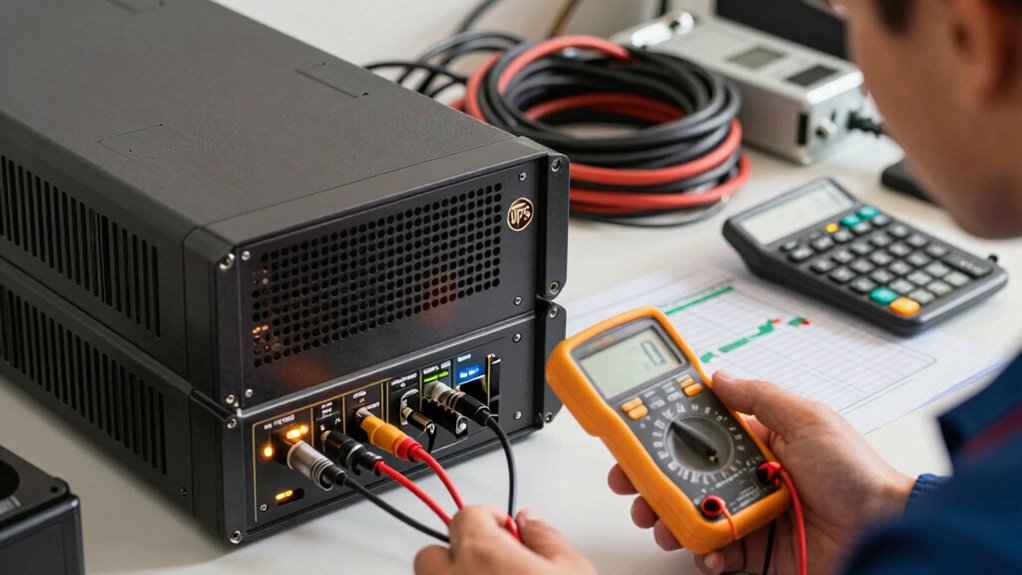

To size your UPS wattage correctly, start by checking the wattage ratings on your devices or manuals, then add up the total load. Include a 20-25% margin to account for power surges and future growth. Focus on real power ratings (watts), not just VA, and consider the power factor. Avoid undersizing to prevent shutdowns or overspending on excess capacity. If you want to guarantee your setup is efficient and reliable, keep exploring the key factors involved.

Get smart everyday buys delivered free with Prime
- Fast, free delivery on millions of items
- Prime Video, Amazon Music and more included
- Member-only deals all year
Key Takeaways
- Calculate the total wattage of all connected devices, including startup surges and a safety margin of 20-25%.
- Prioritize real power (watts) ratings over VA to accurately match UPS capacity.
- Consider future equipment additions and select a UPS with a buffer above the current load.
- Use reliable power measurement tools to assess actual device consumption and power factor.
- Avoid undersizing to prevent shutdowns and oversizing to minimize unnecessary costs.
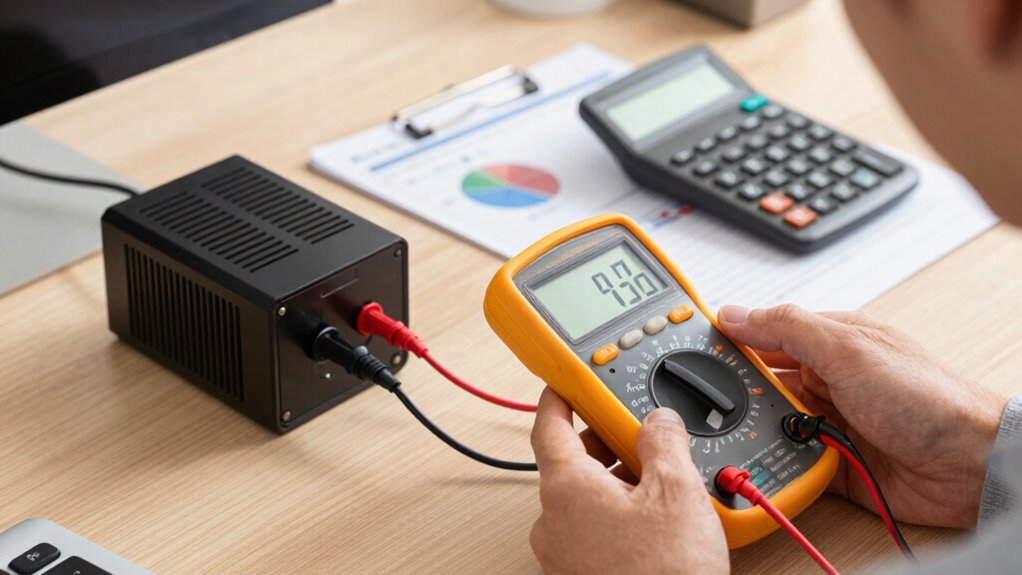
Choosing the right UPS wattage is essential to guaranteeing your equipment stays protected during power fluctuations or outages. When selecting a UPS, you need to take into account its battery backup capabilities and overall power capacity. The goal is to match the UPS’s wattage output with your equipment’s power demands so that it can provide reliable backup without wasting money on unnecessary capacity or risking undersupply during critical moments.
First, identify the total power consumption of the devices you plan to connect. Check the wattage ratings on each piece of equipment—these are usually found on labels or in manuals. Add up all these wattages to get a clear picture of your total load. Keep in mind that some devices, especially computers and servers, may have startup surges that temporarily draw more power than their rated wattage. To account for this, include a margin of about 20-25% in your calculations. This ensures your UPS can handle brief spikes without shutting down unexpectedly.
Calculate total device wattages, adding 20-25% for startup surges to ensure reliable UPS performance.
Next, focus on the UPS’s power capacity, which is typically rated in volt-amps (VA) and watts. While VA ratings are useful, watts give a more accurate picture of real power consumption. To avoid overspending on an oversized unit, select a UPS with a wattage rating comfortably above your calculated load. This cushion helps accommodate future equipment additions and ensures the UPS operates within its ideal efficiency range. Power measurement is crucial in understanding how your devices draw power and how to properly size your UPS. Additionally, paying attention to the power factor can help you choose a more efficient model that aligns with your specific load characteristics. Recognizing the importance of power quality can also influence your choice, as higher-quality UPS systems can better handle power irregularities.
Battery backup is a critical feature to evaluate. A UPS with a higher battery capacity can sustain your devices longer during outages. The backup duration depends on the total load and the UPS’s internal battery size. If you need your equipment to stay online for a longer period, look for models that specify runtime at certain loads. Remember, a larger battery capacity often comes with increased cost, so balance your needs with your budget.
Additionally, understanding power storage and how batteries are rated can help you make more informed decisions when selecting a UPS. Avoid the mistake of undersizing your UPS, which can cause your equipment to shut down prematurely during outages or power dips. Conversely, overestimating your power needs leads to unnecessary expense. Proper sizing involves understanding your device’s power requirements, adding a safety margin, and choosing a UPS with a sufficient power capacity and battery backup to meet your needs. When you do this, you’ll protect your equipment effectively while avoiding wasteful spending, ensuring your setup remains reliable and cost-efficient over time.
As an affiliate, we earn on qualifying purchases.
Frequently Asked Questions
Can I Use a UPS With a Lower Wattage Than My Device Needs?
You shouldn’t use a UPS with lower wattage than your device needs. Doing so can cause battery capacity issues, leading to insufficient power during outages. A UPS with inadequate wattage diminishes power efficiency, risking shutdowns or hardware damage. Always choose a UPS that can handle your device’s wattage comfortably. This guarantees reliable backup and protects your equipment, avoiding potential data loss or hardware failure caused by inadequate power supply.
How Does Power Factor Affect UPS Sizing?
Imagine your devices humming with energy, yet the power factor tells a different story. Power factor impacts UPS sizing by revealing how efficiently your equipment uses electricity. A low power factor means you need a larger UPS to handle the actual load, ensuring efficiency and protection. Ignoring this can lead to undersized units, risking overloads, or overspending on unnecessary capacity. Always consider power factor for accurate UPS sizing.
Should I Size UPS Capacity for Future Device Additions?
Yes, you should size your UPS capacity for future device additions. This guarantees adequate battery capacity and allows for load balancing as your system grows. Overloading the UPS can shorten its lifespan and compromise backup power during outages. By planning ahead, you avoid frequent upgrades and maintain reliable performance. Always consider potential expansion, and select a UPS with enough capacity to handle both your current and future load comfortably.
What’s the Difference Between VA and Watt Ratings on UPS Units?
The difference between VA and watt ratings on UPS units is significant—VA measures apparent power, like the size of the energy flow, while watts reflect real power used by your devices. Your battery capacity and efficiency considerations come into play here; a higher VA rating doesn’t always mean more real power. Always match your device’s wattage needs with the UPS’s watt rating for best performance and longevity.
How Do Surge Protectors Impact UPS Wattage Requirements?
Surge protectors can increase your UPS wattage requirements because they add extra load to guard against power surges. When protecting sensitive devices from power surges, you need a UPS that can handle both the regular load and the surge protection components. If you don’t factor this in, your UPS might be undersized, risking device damage or shutdown during power spikes. Always select a UPS that accommodates surge protection needs for reliable performance.
best UPS for computer and server backup
As an affiliate, we earn on qualifying purchases.
As an affiliate, we earn on qualifying purchases.
Conclusion
Think of sizing your UPS like fitting a suit—if it’s too tight, it’s uncomfortable, and if it’s too loose, it’s ineffective. Getting the wattage right guarantees your equipment stays protected and runs smoothly, without wasting money or risking downtime. Take the time to calculate accurately, and you’ll have a reliable backup that fits just right. Don’t let your setup be a square peg in a round hole—measure carefully and choose wisely.
high capacity UPS with long runtime
As an affiliate, we earn on qualifying purchases.
As an affiliate, we earn on qualifying purchases.
power measurement tools for devices
As an affiliate, we earn on qualifying purchases.
As an affiliate, we earn on qualifying purchases.
Fall Picks
fall essentials
As an affiliate, we earn on qualifying purchases.