
TL;DR
Prebuilt AI workstations deliver quick setup, validation, and support, often at a comparable or even lower cost today. Building offers customization and control, but requires technical skill and time. The best choice depends on your workload, budget, and comfort with hardware tweaks.
Imagine turning on a high-powered AI workstation, ready to start training your models or running inference in minutes. No fuss, no assembly, no troubleshooting. That’s the promise of a prebuilt system. But does it really match the control and potential savings of building your own? Or has the landscape shifted so much that prebuilt now often makes more sense?
In this article, I’ll walk you through the real tradeoffs — from cost and performance to support and upgradability — so you can decide which route fits your workload and skills best. Whether you’re a hobbyist, a small studio, or a researcher, this is about making the most informed choice in 2026.
Build vs buy
an AI workstation.
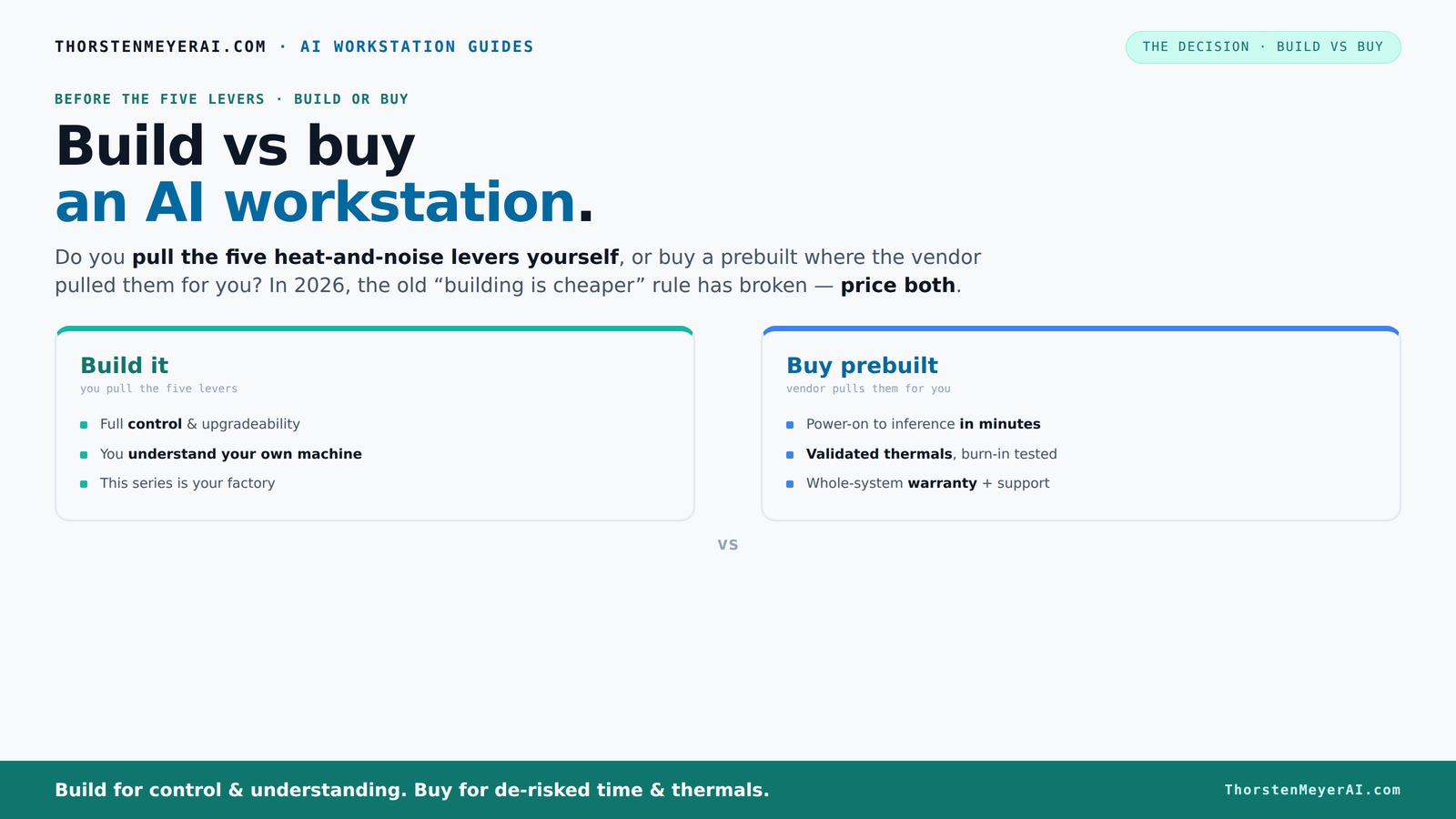
The real question behind this whole series: do you pull the five heat-and-noise levers yourself, or buy a prebuilt where the vendor pulled them for you? And in 2026, the old “building is cheaper” rule has broken. Match your situation in Part 3.
Key Takeaways
- Component shortages have made prebuilt systems often cheaper or equally priced compared to DIY builds in 2026.
- Prebuilts include validated thermals, support, and quick deployment, reducing setup time and risk.
- Building offers maximum control over components, cooling, and upgradability, but requires time, skill, and effort.
- Support and warranty are major advantages of prebuilt systems, especially for heavy AI workloads.
- Your workload type and technical skills should drive your choice — there’s no one-size-fits-all answer.
As an affiliate, we earn on qualifying purchases.
Why the old rule of 'build cheaper' no longer applies
Building your own AI workstation used to be a straightforward way to save money. But recent years turned that idea upside down. Component shortages, especially for GPUs and DDR5 RAM, caused prices to spike. A build that once cost under $1,000 now easily surpasses $1,250 — before even adding an OS or software.
Meanwhile, prebuilt vendors like Lambda, Puget, and BIZON bought components in bulk before prices jumped. They now offer systems at prices that are tough for DIY to match, even with the time and effort you put in. So, the old mantra — 'build cheap, buy fast' — is outdated. Today, it’s about comparing actual prices for your specific setup, not assumptions.
For example, a 2026 prebuilt with a top-tier GPU, 64GB RAM, and NVMe SSDs can cost roughly the same as, or even less than, sourcing parts yourself and assembling. That shift means you need to re-evaluate whether DIY still saves money, or if it’s just a matter of preference and control.
Beyond raw costs, this shift also impacts your decision-making process. When prebuilts match or beat DIY prices, the value proposition shifts from cost savings to factors like reliability, time saved, and support. If your priority is getting a system quickly and with guaranteed stability, prebuilts become even more compelling. Conversely, if you value tinkering or specific component choices, building still offers a unique advantage — but only if the cost difference justifies your effort.
Understanding this shift is crucial because it influences your long-term strategy. For example, investing in a prebuilt with validated thermals and support might seem more expensive upfront but can lead to lower total ownership costs, especially when factoring in the time and potential troubleshooting a DIY system might require. It’s a tradeoff: immediate savings versus peace of mind and reliability.
As an affiliate, we earn on qualifying purchases.
The five levers: heating, noise, and control — who pulls them?
Running a high-power AI workstation is like managing a mini heat furnace. Cooling, noise, and stability depend heavily on five key levers: GPU undervolting, cooling solutions, airflow management, fan tuning, and placement. Build vs Buy a Prebuilt AI Workstation can help you understand the tradeoffs involved.
If you buy a prebuilt, the vendor pulls those levers for you. They validate thermals, tune fans, and often include water-cooling options to keep noise down and temperatures stable. BIZON, for instance, claims systems with up to 30% lower noise and better thermal performance — all tested before shipping.
If you build, you control every lever. You pick a quiet GPU and undervolt it ([see how here](https://thorstenmeyerai.com/undervolt-gpu-local-inference/)), choose a case with sound-dampening features, and set up airflow ([more tips here](https://thorstenmeyerai.com/quiet-case-fans-airflow-setup/)). You learn how to keep your machine cool and quiet, but it takes time and expertise. For more insights, see Build vs Buy a Prebuilt AI Workstation.
The significance of these controls extends beyond comfort. Effective thermal and noise management directly impacts system stability and lifespan. Poor cooling can cause thermal throttling, reducing performance during critical training tasks, or even hardware failure over time. Tuning these levers allows you to tailor your system to specific workloads — for example, prioritizing silence for a shared office environment or maximizing cooling for sustained heavy loads. The tradeoff is that gaining this control requires a learning curve and ongoing maintenance, which may not be worth it if you need a plug-and-play solution.
Deep control over thermal and acoustic parameters means you can optimize for specific environments and workloads, which is essential in professional or shared settings. However, it requires a willingness to learn and invest time into fine-tuning. For example, undervolting can significantly reduce power consumption and heat, but improper application can cause instability. Similarly, choosing the right cooling setup can extend hardware lifespan, but might increase initial costs and complexity. These tradeoffs should be considered carefully, especially if your goal is a reliable, maintenance-free system.
As an affiliate, we earn on qualifying purchases.
Prebuilt vs DIY: Who wins on speed and support?
Time to productivity can be the deciding factor. Prebuilt systems arrive with everything installed — OS, drivers, AI stacks like CUDA, PyTorch, TensorFlow — ready to run. Power on, start training or inference. No fuss, no waiting for parts or troubleshooting.
Support and warranty are another big perk. Reputable vendors run thorough burn-in tests, ensure thermals won’t throttle during heavy workloads, and stand behind their hardware for years. Learn more at dealsucker.com. If something breaks or underperforms, you call support, and they fix it. That kind of peace of mind can be worth the extra cost.
For example, Lambda tests each system under sustained GPU load for 48 hours before shipping, reducing the risk of thermal throttling during your critical training runs. DIY builders, on the other hand, must troubleshoot compatibility issues, driver conflicts, or cooling problems on their own, which can eat into your time and patience.
This speed and support advantage means that for many users, especially those with tight deadlines or less technical expertise, prebuilts can significantly reduce time-to-value. Check out Build vs Buy a Prebuilt AI Workstation for more details. However, this also means that support quality and warranty terms are critical considerations, as unresolved issues can become costly delays. Conversely, building your own offers flexibility but requires you to be prepared for troubleshooting and maintenance, which might extend your setup time and introduce uncertainties.
Furthermore, support quality often correlates with the vendor’s expertise and reputation. A reputable vendor will offer prompt, knowledgeable assistance and replacement parts, reducing downtime. You can explore options at dealsucker.com. DIY solutions, while flexible, can lead to longer resolution times if issues arise. The implication is that for mission-critical workloads, the reliability and support infrastructure behind a prebuilt can be invaluable, even if it costs more initially.
As an affiliate, we earn on qualifying purchases.
Frequently Asked Questions
Is a prebuilt AI workstation worth it, or should I build my own?
It depends on your priorities. If you want quick setup, validated thermals, and support, a prebuilt is often worth the extra cost. For maximum control and customization, building your own offers more flexibility but requires more time and technical skill.Will a prebuilt be less powerful or slower than a custom build?
Not necessarily. Many prebuilt systems now use high-end components and are tested for sustained workloads. In some cases, prebuilts can even outperform DIY rigs due to optimized cooling and validation, especially in multi-GPU setups.What’s the true cost difference after support and warranties?
While prebuilts may seem more expensive upfront, their support, warranty, and lower risk of failure can save money and time in the long run — especially during critical projects or heavy workloads. Always compare actual prices for your specific configuration.Can I upgrade a prebuilt later?
It varies. Many OEM prebuilts use proprietary parts or limited expansion slots, which can hinder future upgrades. Building your own with standard parts usually makes upgrades easier and more flexible.Are prebuilt systems reliable for heavy AI training and inference?
Yes, especially if bought from reputable vendors that validate thermals and stress-test systems. They often include warranties and support, making them a safer choice for mission-critical workloads.Conclusion
Choosing between building or buying an AI workstation now hinges on what matters most to you: quick deployment and support or total control and customization. Neither is inherently better — just right for different needs and skills.
Visualize your next project. Will it be a quick start from a prebuilt or a custom masterpiece shaped by your hands? The right decision will energize your AI journey, whatever you choose.